
You’re not bad with money. You just have ADHD.
Most budgets need you to remember, plan ahead, and wait.
ADHD makes all three hard — so you quit by week three.
This one does the remembering for you.
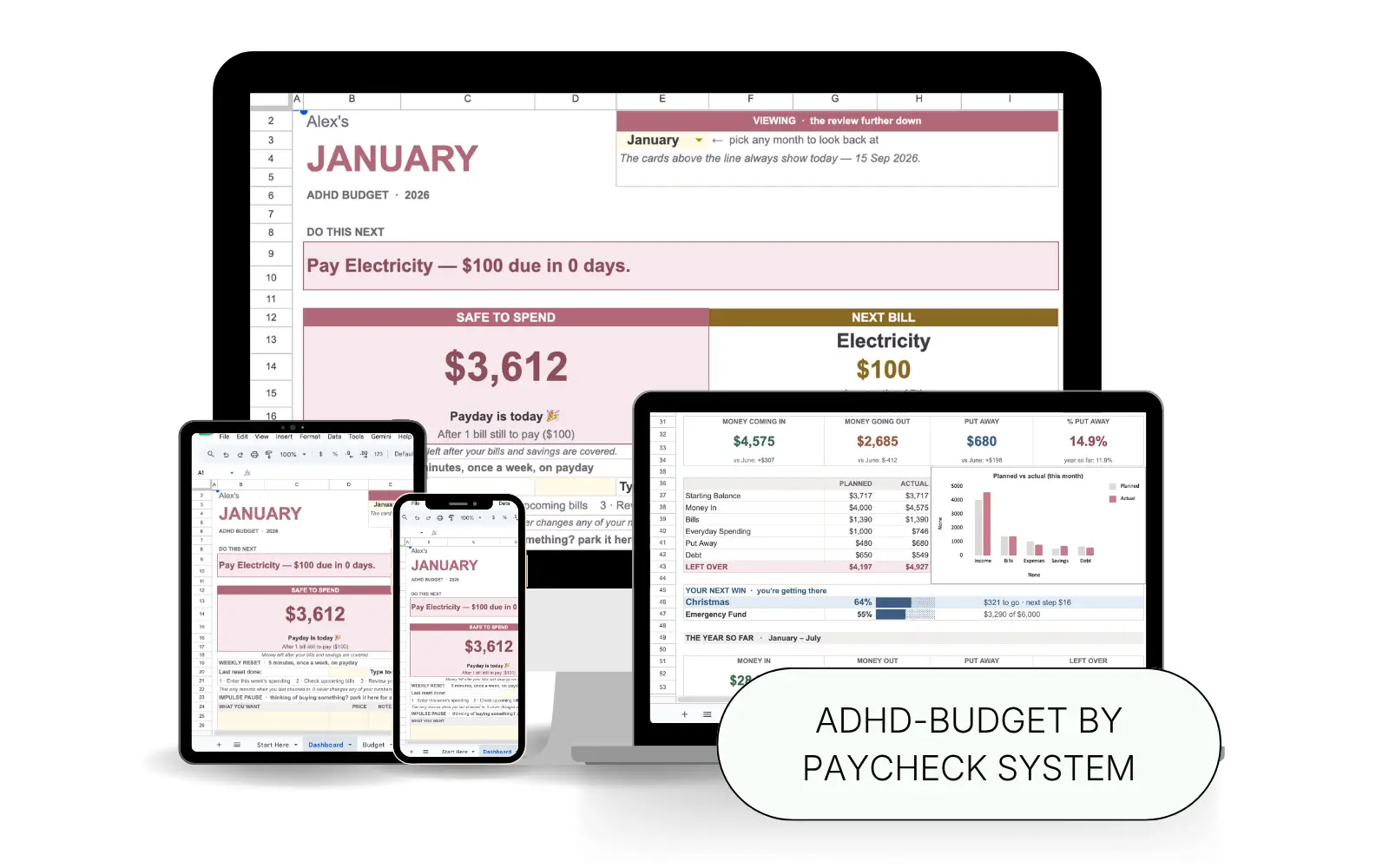
Type in your paychecks and bills, and see one thing: what’s safe to spend right now.
- Works in Google Sheets & Excel
- One-time payment (no subscription)
- Instant download
$29 complete system · 14-day money-back guarantee
Every budget you’ve tried ended the same way.
You start strong. You mean it this time. Then week three hits, and it’s gone — the app, the spreadsheet, the fresh start. Again. That was never a willpower problem. It’s how the budget was built.
Too many decisions
Fifteen categories to sort every purchase into is fifteen decisions. Your brain runs out. So you stop opening it.
Bills that jump out of nowhere
A due date doesn’t feel real until it’s late. Then it’s a fee, and that sinking “not again.” That’s the ADHD tax — and it adds up quietly.
The shame spiral
You open the app. It says you’re over. So you close it. And then you stop looking at your money at all.
Now picture a budget that remembers for you.
One that counts down to your bills. Shows you one clear number. And treats a slip as information — not a verdict. That’s this one.
The simpler way
A budget built for how your brain actually works.
No blank grid. No fifteen decisions. No starting over every month. You type your numbers. It tells you what’s safe, what’s next, and what to do.
- One number, not fifteen decisions. Safe to Spend shows what’s left after bills and savings. So you can answer “can I buy this?” with no math.
- Nothing sneaks up on you. Days until payday. Days until your next bill. Right there, every time you open it.
- It does the math for you. Type it in. Your totals, your Money Left, your whole year — they update themselves. Nothing to break.
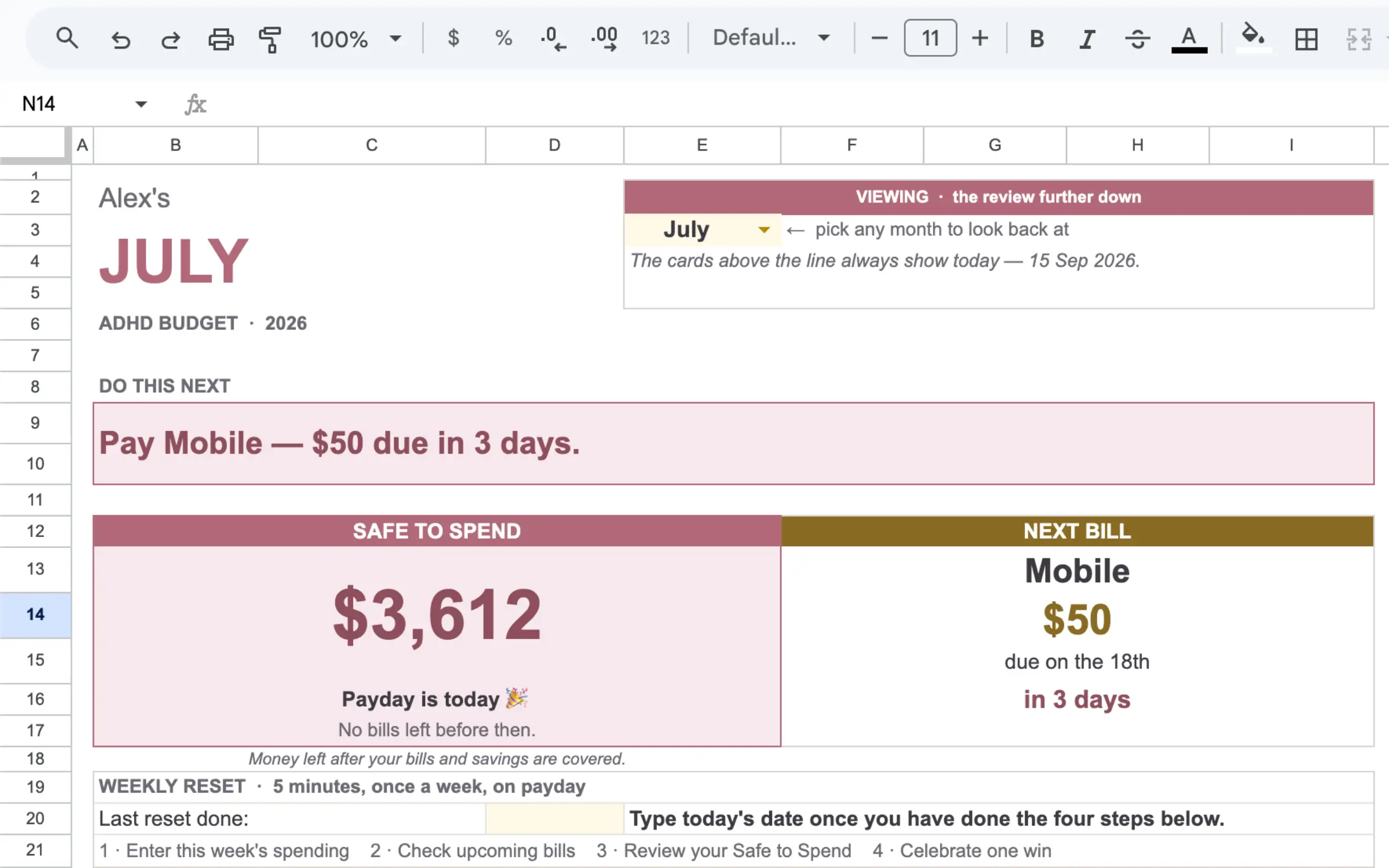
Type your numbers. See what’s safe to spend.
No formulas to build. No math in your head. Just type, and watch it answer.
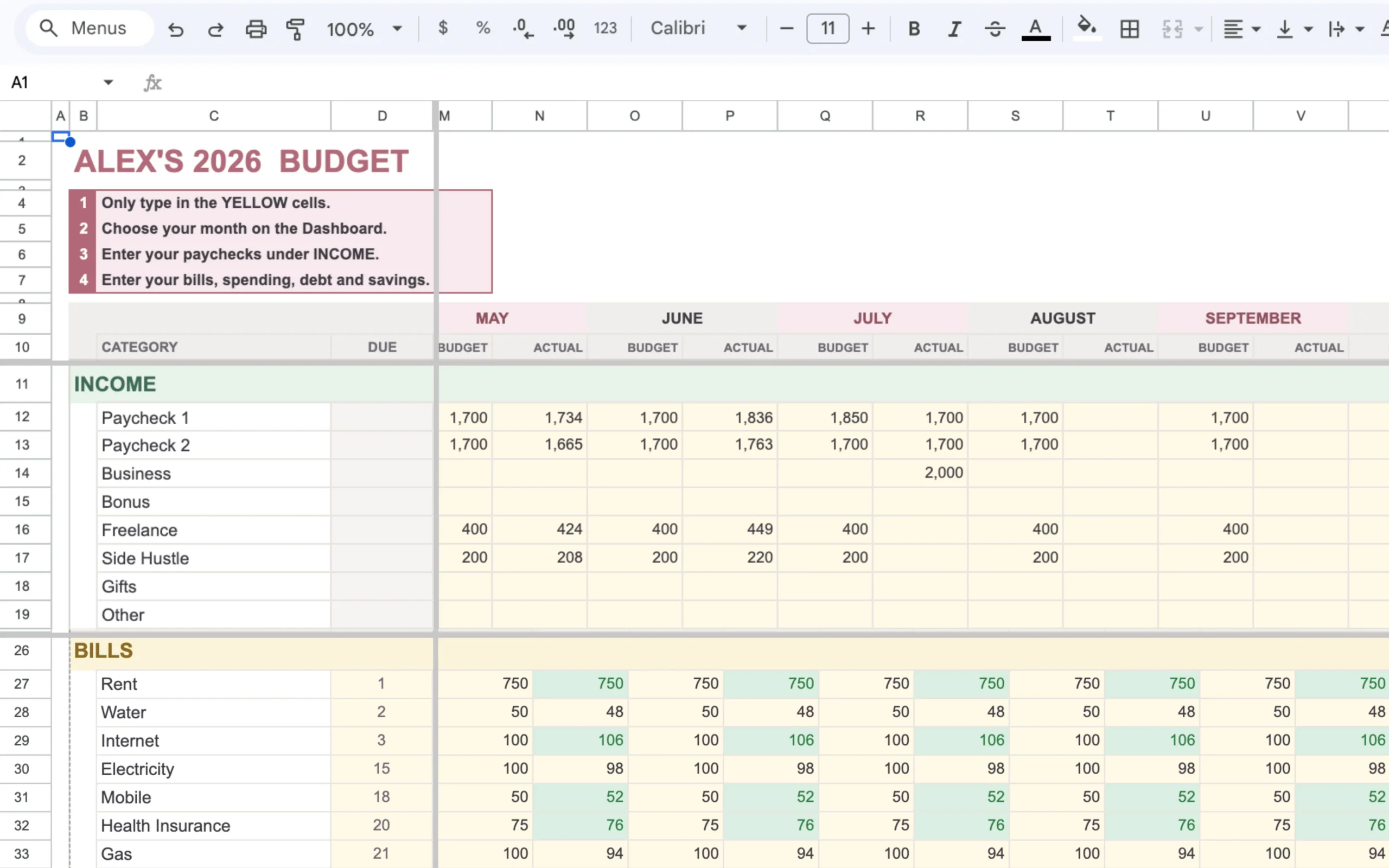
Enter your paychecks & bills
Type in the yellow cells only. Everything else is locked, so you can’t break it.
See your Safe to Spend
The dashboard updates itself — one clear number, and the one thing to do next.
Everything your brain needs. Nothing it doesn’t.
A done-for-you system built around one number, one next step, and small wins you can feel.
Safe to Spend
The one number you actually needed — what’s left after your bills and savings are covered. Open the file and it names the one thing to do next, with your next bill counting down beside it. No math, nothing sneaking up on you.
The Weekly Reset
Five minutes, once a week, on payday. Four small steps — including celebrating one win. The little ritual that keeps you coming back, instead of the budget quietly falling apart by week three.
The Impulse Pause
Want to buy something? Park it here for a day. The sheet shows you what the numbers say before you tap buy — a pause between the urge and the purchase that quietly shrinks the ADHD tax.
Savings Goals, in Tiny Steps
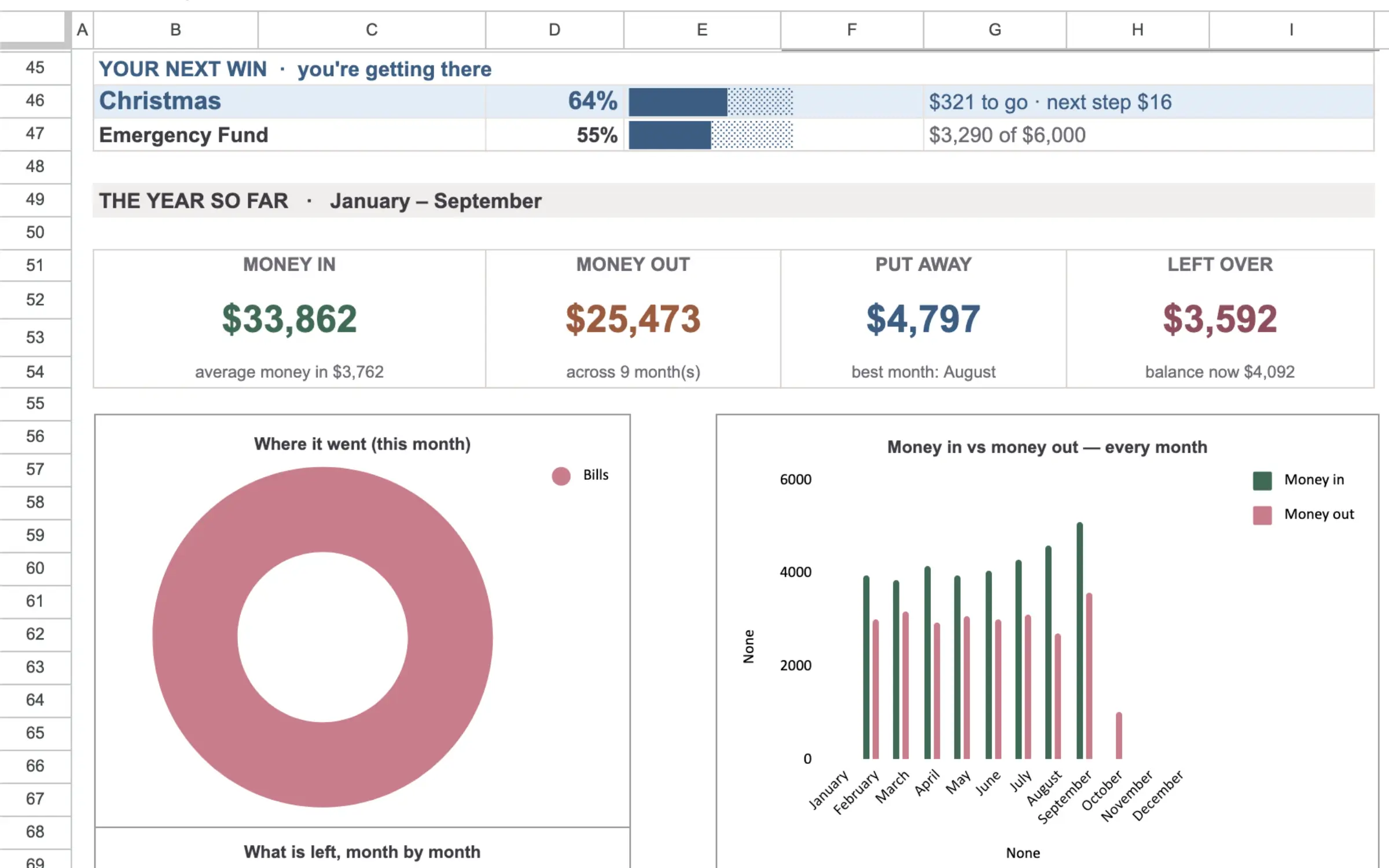
Big goals broken into small, doable ones — a $6,000 emergency fund becomes “add $16.” The bars fill as you go, and the dashboard cheers each milestone, so saving finally feels like winning.
Google Sheets & Excel
Use the app you already have. One file works in both Google Sheets and Microsoft Excel — no new tool to learn.
Instant Access
It’s yours the second you buy. Download your files and start organizing today.
One-Time Purchase
Pay once, keep it forever. No recurring fees and no subscription to forget to cancel.
Set up in three small steps.
No blank template. No steep learning curve. Three steps and you’re running.
Enter your paychecks
Type your pay and any other income. It sorts itself around your pay schedule.
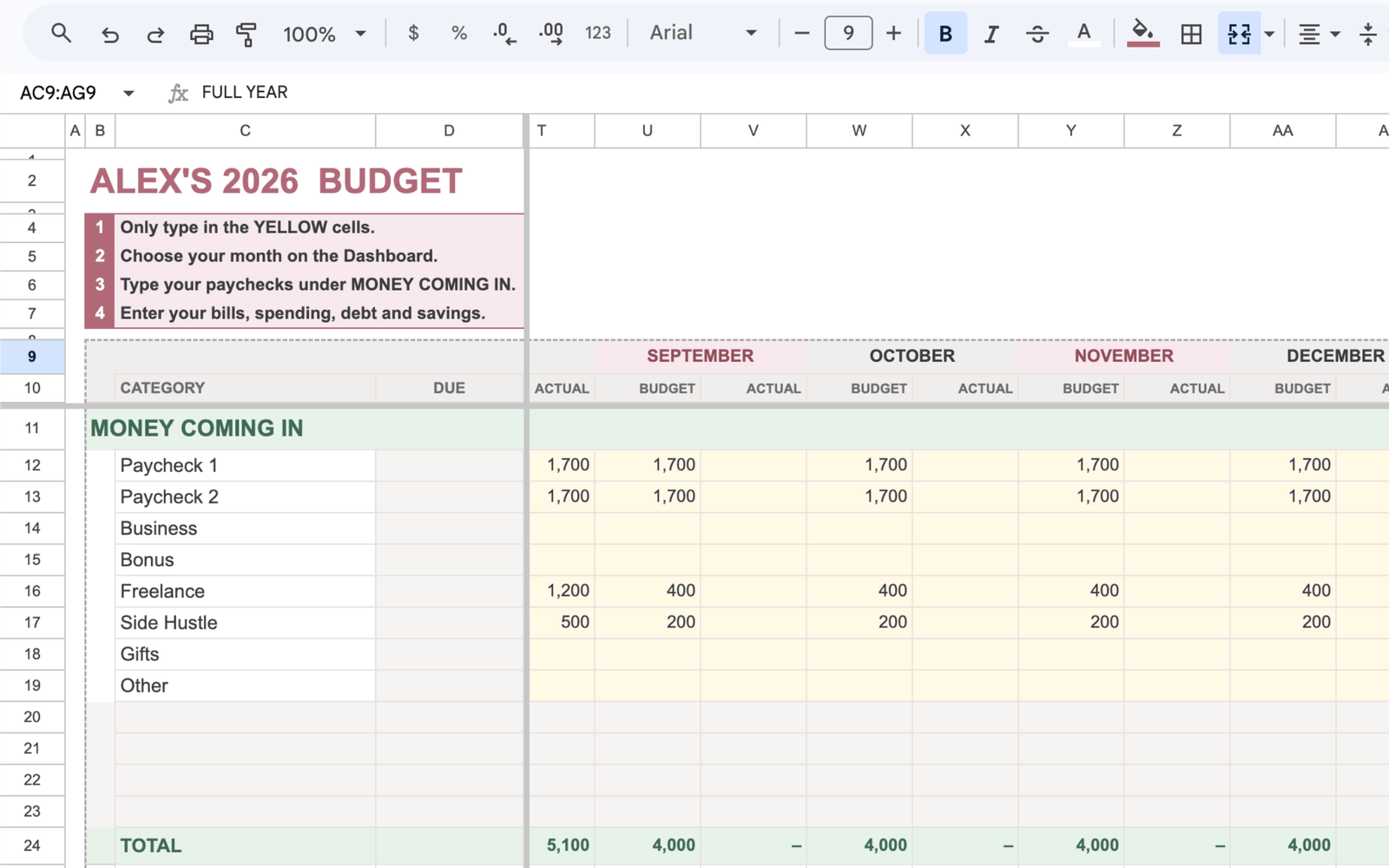
Add your bills & spending
List what goes out. It lands in the right place, across all twelve months.
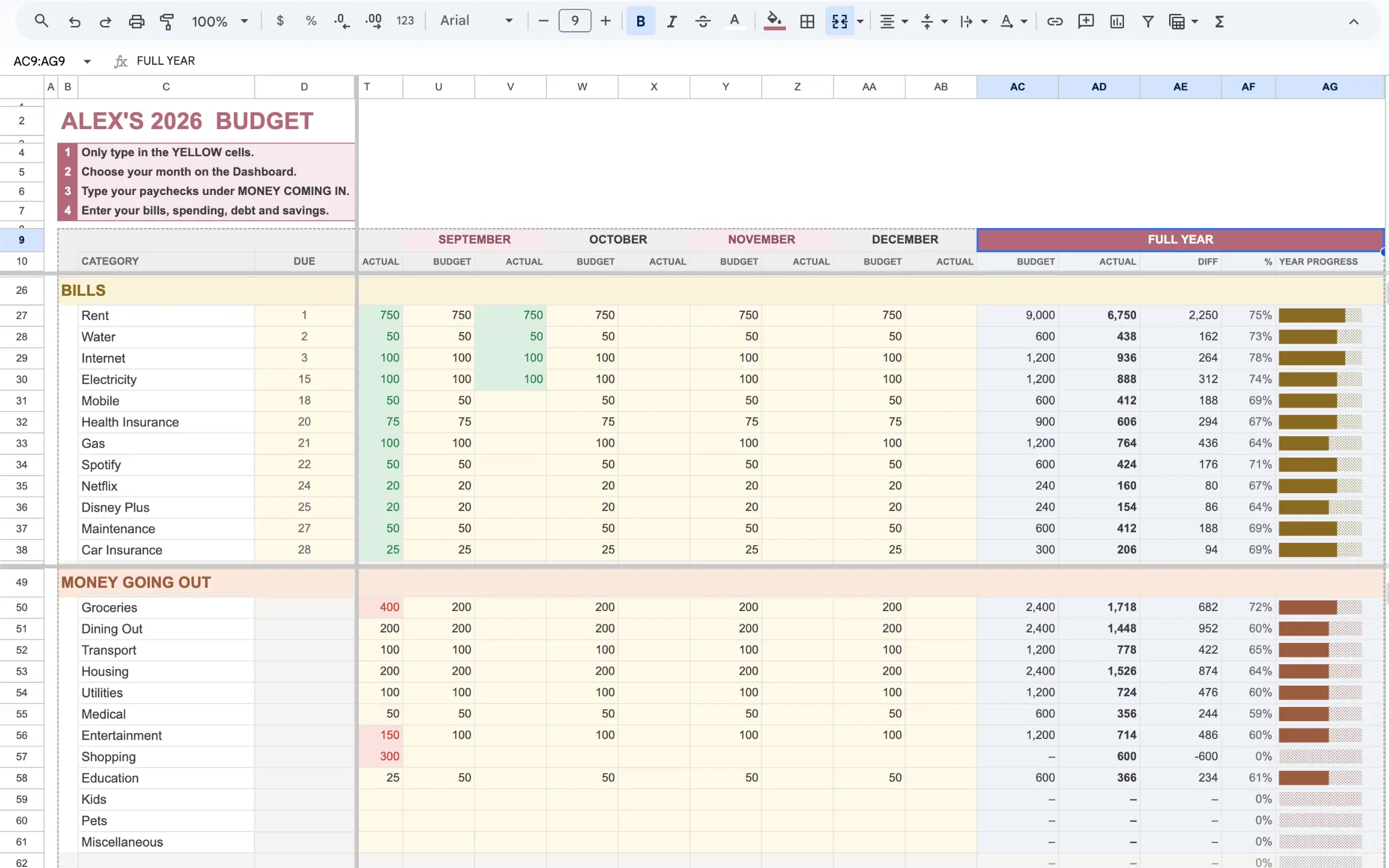
See money in, money out, & what’s safe to spend.
The dashboard does the rest — what’s left, what’s next, and how close your goals are.
It opens in Sheets or Excel. Nothing new to learn.
No new budgeting app to learn. No login to forget. One file — works in Google Sheets and Excel.
Google Sheets
Prefer your browser? Open it in Google Drive and update it from any device, free. Your phone included.
Microsoft Excel
Prefer your desktop? Open the same file in Excel, offline, right where you’re comfortable.
What’s included: You get the ready-to-use template and a fully filled demo so you can see exactly how it works before you touch a thing.
Built for the way your brain works.
This is for you if…
- You get paid weekly, biweekly, or on an irregular schedule.
- You’ve downloaded and quit every budget app there is.
- You want one clear number, not fifteen categories.
- You want bills to stop ambushing you.
- You want the math done for you.
- You’d rather use Sheets or Excel than learn another app.
This may not be for you if…
- You want an app that connects to your bank and tracks everything for you.
- You never want to type anything in.
- You’re looking for investment, tax, or medical advice — this is a money tool, not that (and it won’t treat your ADHD).
- You don’t want to use a spreadsheet at all.
One calm system. Every payday.
Start organizing your money around how you get paid — and how your brain works.
What’s inside:
- The full ADHD-friendly spreadsheet system
- Google Sheets + Excel
- Safe to Spend, Do This Next & the Payday Countdown
- Weekly Reset + Impulse Pause
- Dashboard, Budget Tab & Savings Goals
- Instant access (one-time purchase)
Try it. If it’s not right for you, ask for a full refund within 14 days. No hoops.
No subscription. No hidden fees. Yours to keep.
Get the spreadsheet → 🔒 Secure 256-Bit Encrypted CheckoutA few things you might be wondering.
No. You only type in the yellow cells. Everything else is locked and does the math for you.
Because it doesn’t run on willpower. One number instead of fifteen. A five-minute weekly reset that ends on a win — so there’s a reason to come back, not guilt when you don’t.
Both. Same file, either one. Sheets is free and works on your phone; Excel works offline on your desktop.
Yes. Open it in the Google Sheets app to check your Safe to Spend and log spending on the go.
Yes — that’s the whole point. Weekly, biweekly, or irregular all work. Add each paycheck as it lands.
Yes. Start any month. Your history builds from there — no backfilling, no waiting for January.
Instantly. It’s delivered to your email right after checkout.
Ready for a budget that finally sticks?
Everything you need to budget by paycheck — the ADHD-friendly way.
- The full ADHD Budget by Paycheck System
- Google Sheets + Excel
- Safe to Spend, Payday Countdown & Do This Next
- Weekly Reset, Impulse Pause & Savings Goals
- Instant access
Complete Your Order
Instant access, delivered to your email.
ADHD Budget by Paycheck System
- Google Sheets + Excel
- Instant download
- Lifetime access, no subscription
